A> FLASH DRIVE
Hardware
Bus de expansión del PCW
Compatibilidad
PCW 8256 - PCW 8512
Precio
Inglaterra: 1024k - £65,00 & 2048k - £95,00
Vista del Dispositivo
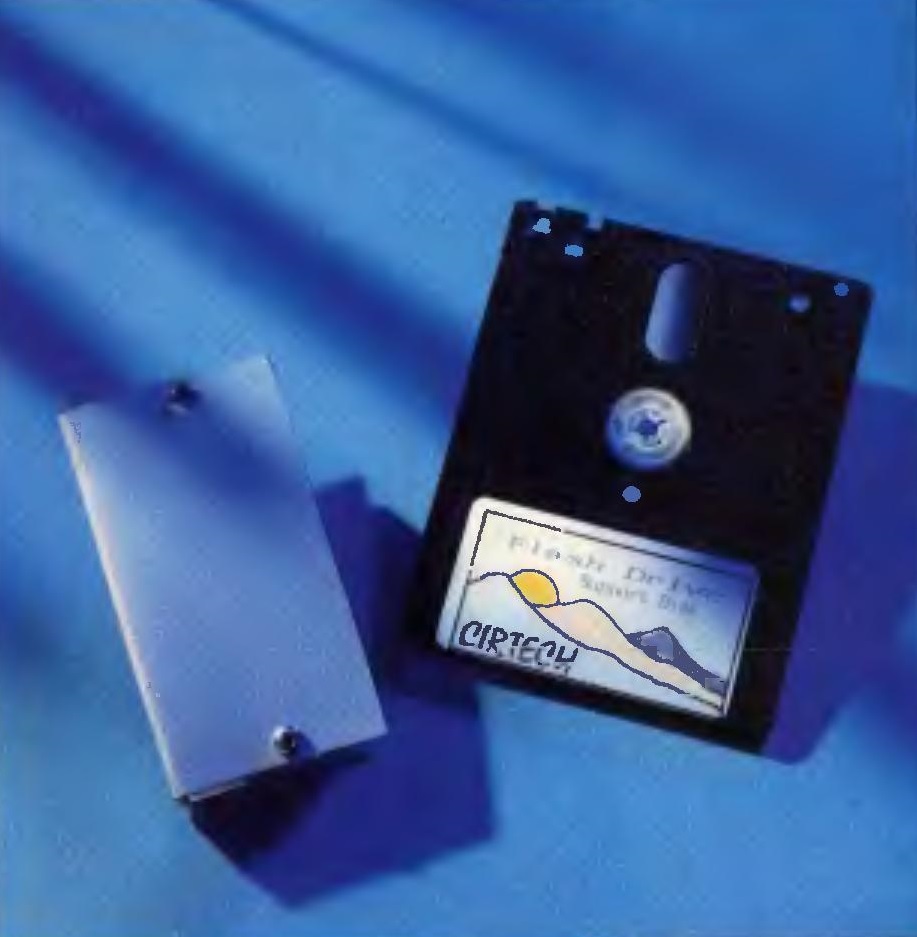 Unidad Frontal
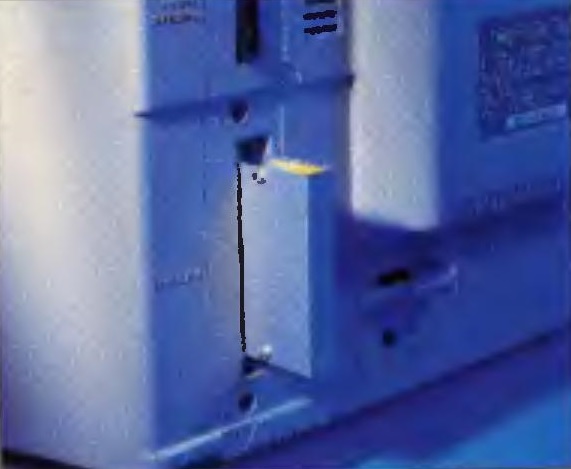 Unidad Perspectiva
Los Flash Disk son una familia de interfaces de almacenamiento externo basados en memoria Flash. Es un complemento para los PCW no más grande que una caja de cerillas. De hecho, el mayor componente de la unidad flash es el conector que se conecta al puerto de expansión del PCW, en la parte trasera.
Cirtech fue la primera empresa que ofreció este producto deslumbrante de hardware, increíblemente rápido, y a un precio de bajo costo, donde iniciar programas desde la ROM. Se podía adquirir en las versiones de 1024k and 2048k.
El banco de los pequeños chips ROM que incluye, hicieron que fuese un dispositivo revolucionario para los PCW, si revolucionario es una palabra apropiada para una unidad de datos que no contiene partes en movimiento. Es un disco puramente en el sentido que parte de la información interna de la memoria de la computadora que se llama "Drive M:". La ROM es una memoria de solo lectura y describe lo peculiar de este chip de silicio. Éstas unidades flash contenían un chip de 1024k o 2048k.
Circuit Board Captures (PCB)
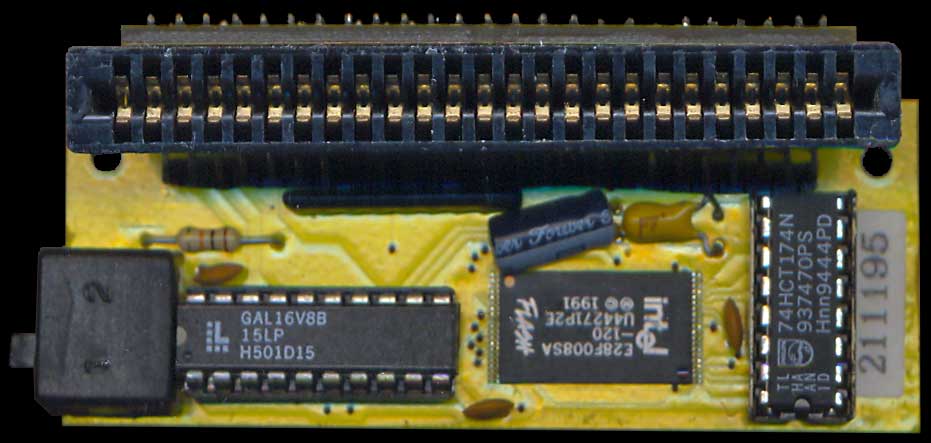 PCB Front
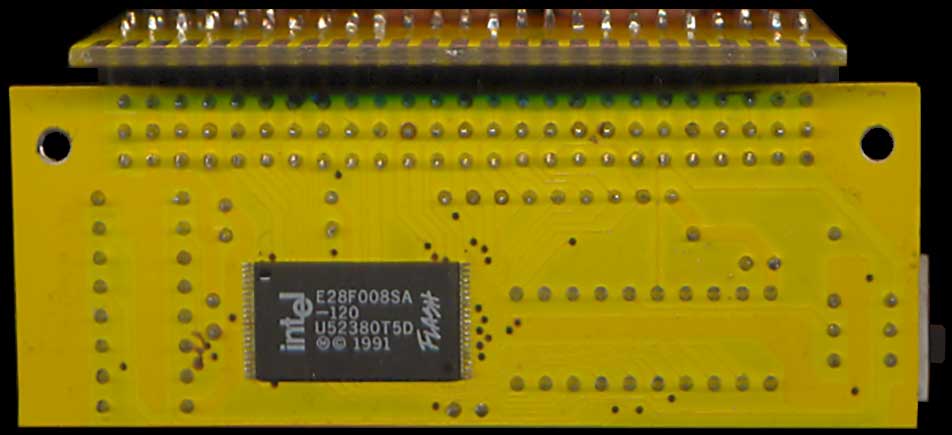 PCB Back
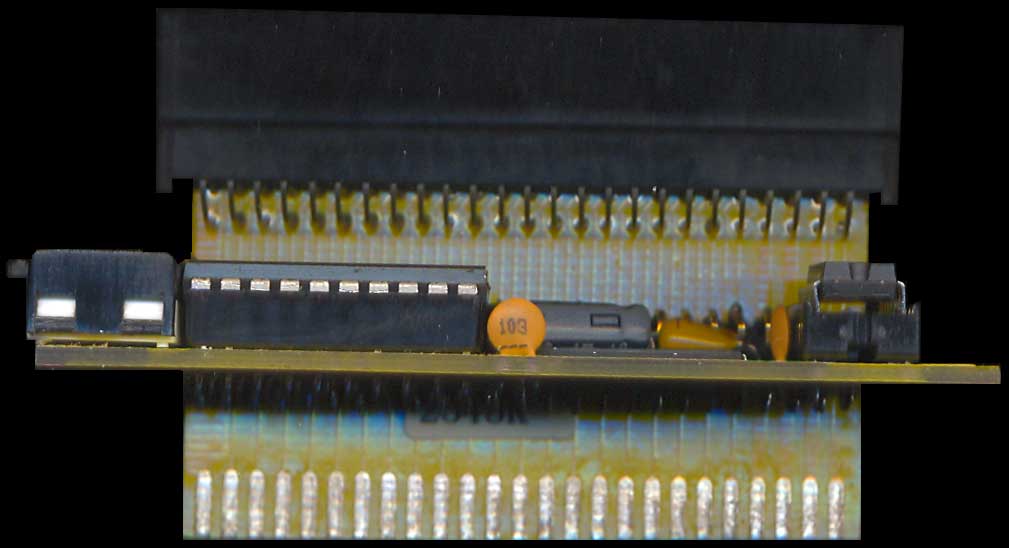 PCB Top Profile
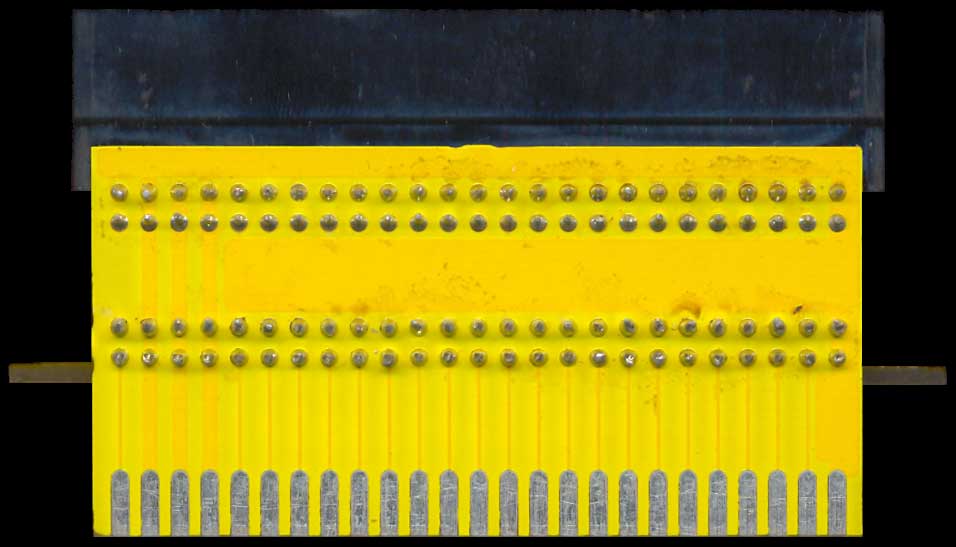 PCB Bottom Profile
To explain the difference between the more well-known "ROM" and the more familiar "RAM" (Random Access Memory), think of household light switches: electrical switches. The "gates" inside RAM chips can be turned on and off as needed, but ROM chips are "trapped" in either the on or off position. While the analogy isn't completely exact, the Flash Drive can actually be reprogrammed using the "utility disk" floppy supplied with the hardware. A better comparison might be with switches that control a home video recorder or an alarm system: these are not permanent, but turning them off requires extra steps, meaning you have to reprogram their functions.
The Flash Drive's ROM can hold data from two system boot floppy disks: one for LocoScript and one for CP/M. Once the data has been loaded, the PCW boots surprisingly fast—taking roughly a quarter of the time normally required to load a disk from drive A:. Because its switches are "trapped," the drive needs no power to preserve data, making it unaffected when turning off the PCW. The only drawback is that, while you can add extra files to the flash drive, you cannot alter or delete anything without clearing the chips completely to start over.
Therefore, Cirtech highlights that the boot startup configuration should be carefully chosen and tested before committing it to the flash drive. It should be a setup that you are sure of and unlikely to change—the implications for LocoScript users are detailed in the box below:
[ REQUREMENTS CONFIGURATION - LOCOSCRIPT ]
LocoScript users stand to benefit the most from this high-tech innovation for the PCW, simply because a large LocoScript configuration takes too long to boot from floppy disks. However, it does demand some thought when designing the flash drive's boot system. The SETTINGS.STD file cannot be updated once it is on drive C:, so make sure it contains your ideal adjustments—and the same goes for the TEMPLATE.STD files that will be copied to drive M: at boot. Do not place the USERSPEL dictionary on the flash drive—keep copies on your data disks.
For LocoFile owners, the most exciting feature of the flash drive is the way it handles data files—they can be inspected on drive C: (though they cannot be altered). This means .DATA files should not be stored in the ROM folder if they are likely to change. On the other hand, however, it opens up the possibility of gaining instant access to large amounts of reference material. Insert this data into data files, but do not use the .DATA suffix—call them anything else instead; LocoFile will still recognize them. These files will not be copied to drive M:, though they will always be available on drive C:.
The flash drive is only compatible with LocoScript version 3.06 onwards (plus the parallel development, version 2.56) and the latest CP/M versions (1.15 or 2.15 depending on the PCW model). You might, therefore, require an upgrade to use it. The flash drive is not compatible with Flipper, but there is no problem with The Network (as long as a "key" is used); the floppy disk will be inserted at boot since Cirtech complies with this requirement to fight piracy.
As far as normal CP/M software is concerned, the general rule seems to be that if a program works under CP/M 1.15/2.15, it will work on the flash drive. There are only two exceptions to this: DiscKit (a modified version supplied by Cirtech) and the original Moonstone 2-in-1 program, but the latest version of 2-in-1 sold by Locomotive Software works fine.
Money Manager needs a few changes in its configuration screen—instructions are given inside a "Read Me" file on the flash drive utility disk. These alterations are necessary because Money Manager normally uses its own special setup, the PROFILE.SUB file (plus a non-standard SUBMIT.COM), for an automatic startup. The point of the flash drive is that multiple CP/M programs will likely be installed, and not all of them can have their own auto-boot system.
[ THE FLASH DRIVE AND CP/M ]
The flash drive installation procedure will not copy the PROFILE.SUB or SUBMIT.COM file unless instructed to do so, and the latter must be the standard version supplied for that specific PCW. However, the PROFILE.SUB can be written to satisfy your own requirements. Essentially, though, CP/M users could create a vast boot disk containing all their utilities and then have the programs stacked in a batch on the ROM drive. CP/M itself appears at boot and each program loads in a matter of seconds—at least as fast as it would from drive M:, for example.
This rapid program access might suggest that The Network is redundant, but that is not the case: it should simply be used differently. In this context, the ROM drive acts as a hard disk, meaning that, apart from the MicroDesign 3 family, programs can be designated as "Transient"—there is no point in keeping them on drive M: when they can be called so quickly from the ROM.
Getting Started
The installation procedure requires arranging several floppy drive setups on the computer. For single-drive machines (or those featuring a mix of 3" and 3.5" drives), you need to copy the utility disk to drive M: using COPYDISC, one of the supplied programs. On most twin-drive PCWs, it is placed in drive A: and the appropriate boot startup disk (or disks) are read from drive B:. A program called FCOPY then copies the files from the boot disk(s) onto the flash drive.
Next, you will see a "Space remaining" message—the value drops, obviously—as files are transferred. Do not exceed the flash drive's capacity limit (unlikely to affect the larger 2Mb model). If you exceed the limit, FCOPY simply stops copying files, but the load will remain incomplete and you will likely need to start over from scratch. This, however, is best avoided as it is a slow process. Once the first boot disk is complete, the alternate system can be added.
The installation process does not automatically copy a SUBMIT.COM or PROFILE.SUB file—if one is needed, you can copy each separately using its full filename (for example: FCOPY B:SUBMIT.COM). The installation process is not ideal; it involves three programs and command lines instead of menu options.
Putting it to Use
With the auto-boot switch set to "on", the PCW boots faster than you would think possible. You can select the alternate startup system by holding down [ALT] while powering on. If, however, you select LocoScript, you will notice that you now have a drive C:—the ROM drive—which shows not only the boot disk with LocoScript files but also the alternate CP/M boot system. This will clutter the disk on the manager screen, so set all CP/M files to "system" before installation (using SET.COM or a file manager utility) and you won't see them unless you request hidden files to be displayed.
LocoScript will not allow you to edit, save, or delete on drive C:, but you can copy files from it in the usual way and at least as fast as from drive M:.
CP/M is not as simple, however. Here, the ROM drive becomes drive A: and the normal floppy drive A: becomes drive C:—unless you are using the specially modified version of DiscKit, that is. This still names the floppy drives A: and B:, but The Network's disk copy utility now calls them C: and D:. Confusing? In reality, it doesn't take long to get used to it. Cirtech had no room for maneuver in this matter due to the different ways LocoScript and CP/M programs recognize their boot drives.
 Connected Unit
Checking Compatibility
Inconsistent drive labeling and awkward installations are not the only complaints. The loss of Flipper is always regrettable (though, in this case, it is less noticeable because the ROM drive can reboot quite fast). For some people, the biggest problem would be that Cirtech did not install a "pass-through connector" on the flash drive casing. Therefore, it cannot be connected to a machine that already has a single-ended add-on, such as many printer interfaces. (Apart from this physical limitation, the flash drive is compatible with any other hardware that can be connected to a PCW.)
It would certainly be worthwhile to obtain a dual-direction expansion port adapter—if such things still exist—because the flash drive seems set to transform the PCW world. It is guaranteed to have a profound effect on our PCW utilities—and for a remarkably low price. The 1MB extra memory expansion chips were sold for £30.
In summary, the flash drive is quite fast when it comes to loading our operating system, saving the boot waiting time generated by the floppy drive. A reasonably low price for a new, convenient, and fast peripheral that brings fluidity to data workflows. You can add 1Mb or 2Mb of data capacity, and at its worst, the installation lacks a direct menu and relies on entering several commands.
