
manuales:manuales_pcw:pcw_9512_plus_rustico_en
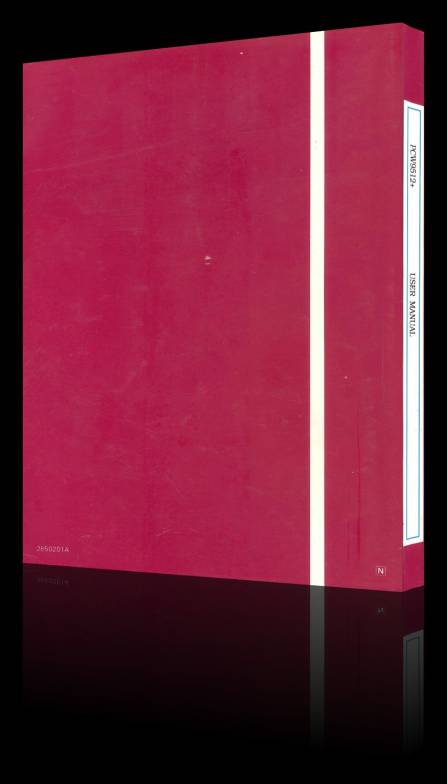
Manual Amstrad PCW 9512+ (RUSTICO)
FICHA TÉCNICA
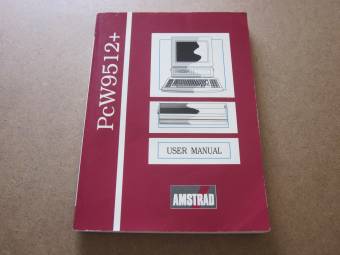
DISTRIBUIDORA:Amstrad plc
DIMENSIONES:20,80 x 15,00 x 1,50 cm
AÑO:1991
PÁGINAS:309
IDIOMA:Inglés
ESTADO:Preservado
DESCRIPCIÓN
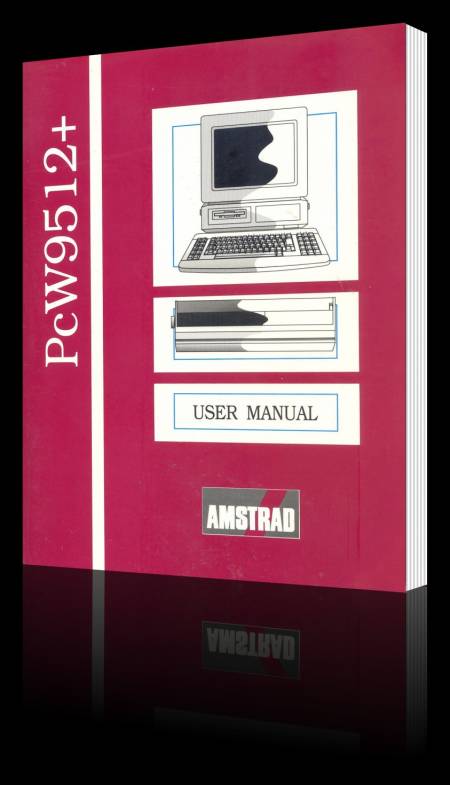
Manual original suministrado con el Amstrad PCW 9512+. Contiene el manejo e instrucciones de la máquina. Comienza desde la instalación después de su desembalaje, utilización de los discos, pasando por LocoScript 2, Mailmerge, Locomail y terminando con una breve introducción al CP/M. Se compone de un total de 22 capítulos.
VISTA COMPLETA
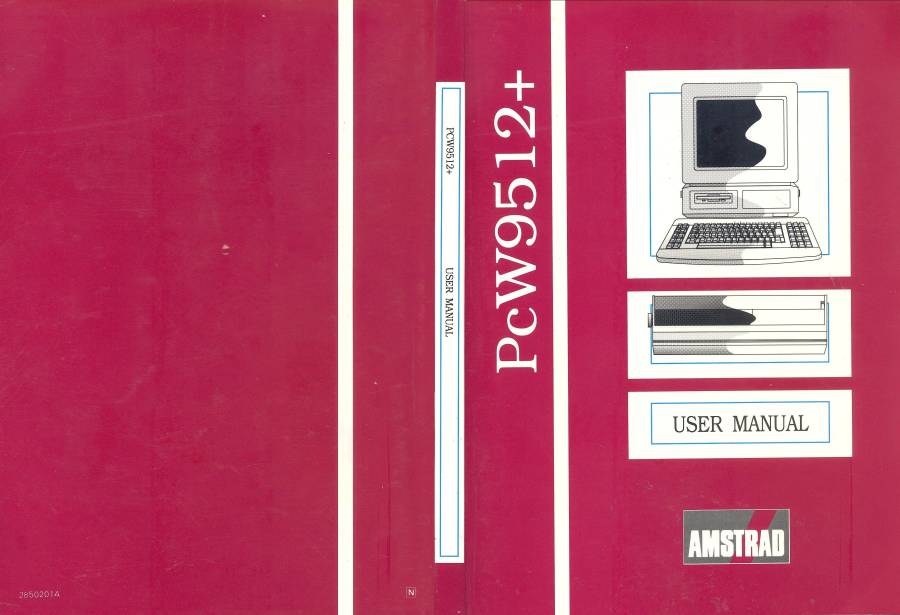
Este manual está encuadernado en tapas de cartón fino a color, y las hojas interiores en papel normal fino en blanco y negro cuyas medidas son; Alto 20,80 cm x Ancho 31,50 cm.
CONTENIDO
CONTENTS
Chapter 1: Setting up your PCW8512+
Unpacking your PCW9512+
Electrical safety
Finding a home your PCW9512+
Caring for the PCW9512+
Connecting the units together
Stating up
Copying Discs
After copying
About computer discs
Storing your data
Looking after discs
Write-protecting discs
Storing and retrieving material
How discs work
About Drive M
The Keyboard
The cursor keys and number pad
Caps Lock
Resetting the computer
Summing up
Chapter Two
What is word processing?
General principles of using LocoScript 2
The Disc Management Screen
Opening a new document
A note about file-names
The Editing Screen
About the Information lines
Meet the cursor
The page-bar
Beginning to type
Typing tips
Editing your text
Tidying after deletiions
Making a printed copy
Putting paper in the printer
Printer Control State
Leaving Printer Control
Printing and saving
Editing a document
A simple example
Moving round the document
Other ways of moving around a document
About file-names and extensions
More about the Information Lines
Summing up
Chapter Three
More about Discs
Back to the Disc Management Screen
Bytes and kilobytes
The group columns
Limbo files
Erasing files for security reasons
Hidden and system files
Moving the highlight bars
Control keys
The Function Keys
Function Keyf1 - Actions
Function Key f2-Disc
Copying discs
Verifying discs
Formatting discs
Renaming discs
Function Key f3 - FIle
Copying files
Moving a file
Erasing a file
Files that can't be erased
Security deletion
Renaming a file
Recovering a document from Limbo
Function Key f4 - Group
Function Key f5 - Document
Function Key f6 - Settings
Function Key f7 - Disc Change
Function Key f8 - Options
Hidden and Limbo files
Large characters
Sticky shift keys
Making a working disc
Different kinds of disc
Using the Start of Day Disc and the working discs
Saving documents while working
Printing from the Disc Management Screen
Summing up
Chapter Four
The Style Menu
Style tutorial
How do enhancements work?
Style Menu Options
Style features and the Information Lines
LocoScript 2 Style Codes
Making the codes visible
Underlining text already entered
Removing enhancements
Combining styles
Some useful short cuts
More about the Set Menu
Picking items from the Set and Clear Menus
The choice is yours
Finding your way around long documents
Searching for (UniT) codes
A warning
Last but not least
Summing up
Chapter Five
Justification and alignment
Centring lines
Cancelling centring
Forcing lines to the right margin
Right justification
Blanks and spaces
Justification and proportional type
Should you justify?
Summing up
Chapter Six
The Size Menu
Line-space and line-pitch
Line-space
Changing the line-spacing
Line pitch
Changing the line pitch
Inserting extra lines after RETURN
Selecting extra blank lines
Returning to the default values
Changing character size and pitch
How to change the character pitch
Normal and double-width type
Character pitch and margin settings
Printer codes
Summing up
Chapter Seven
More about page and line breaks
Indented lines
Indenting the first line of a paragraph
Indenting a complete paragraph
Numbered or lettered paragraphs
Scripts
Fine control of word wrap
Hard spaces
Hard hyphens
Soft hyphens
Soft spaces
Controlling page breaks manually
The wrong way to force a new page
Forced page breaks
When to use the commands
Shorthand key strokes
Avoiding breaking text at page boundaries
Some notes about page bounddaries
Summing up
Chapter Eight
Working with blocks of text
Scissors and paste
Making deletions
Points to watch
The COPY and PASTE keys
About the buffers
Repeated insertions
Copying text
Copying blocks into a different document
Blocks and codes
Showing blocks
Saving blocks on disc
Merging documents
LocoScript 2 Phrases
Using a Phrase
What Phrases do you have?
Adding your own Phrases
Saving Phrases on disc
The PHRASES.STD file
Getting ready to store Phrases
Deleting Phrase
Saving Phrases
Other Phrases files
Making and storing a second Phrases file
Loading a different Phrases file
Summing Up
Chapter Nine
Finding and Exchanging Text
How Find and Exchange work
Beginning a Find
Specifying a Find operation
Typing in the search string
Choosing the options
Ignoring case
Looking for whole words
Using wild cards
Repeating a Find
Abandoning a Find
A practical example
Potential problems
Making Exchanges
Entering the strings
The Exchange options
Preserving case
Selecting a manual or automatic exchange
Manual exchanges
Automatic exchanges
Some simple precautions
Summing up
Chapter Ten
Tabs and margins
About LocoScript 2 Layouts
Changing LocoScript 2 margins
Moving to the Editing Layout Screen
Locating the margins
Restrictions on setting margins
Relaying the text
Realying between new margins
Charging margins affects the entire document
All about tabs
LocoScript 2 tabs
Restrictions on tabs
Types of tab stop
Simple tabs
Rights tabs
Centre tabs
Decimal tabs
Setting and clearing tab stops
Manual or automatic tabs?
Removing tab stops
Leaving the screen
Summing up
Chapter Eleven
Using multiple formats
Chanring the settings for part of a document
How new layouts wok
Editing a layout
Copying layouts
Setting the defaults in a new layout
The Options Menu
Setting justification
Setting italics
The decimal marker
The zero character
Changing the Scale Pitch
Leaving the Options Menu
Using the Size Menu
Line spacing
Line pitch
Selecting extra blank lines
Changing the character pitch
After setting the options
Summing up
Chapter Twelve
TEMPLATE.STD files
Creating a TEMPLATE.STD file
Setting up a layout for the TEMPLATE.STD
Putting in the text
Adding simple instructions
Finishing off
Summing up
Chapter Thirteen
Using Stock Layouts
The concept of stock layouts
Stock layouts 0 and 1
Stock layouts in a TEMPLATE.STD file
How to edit a stock layout
Copying stock layouts
Moving on the next stock layout
Going back to the Editing Screen
How many stock layouts do you need?
Making full use of the stock layouts
Putting a stock layout into a document
Cancelling a stock layout
Changing and replacing layouts
Layout exchange
More about exchanging layouts
Layout replacement
Summing up
Chapter Fourteen
Headers and footers
What are headers and footers?
Organising headers and footers
Putting the same headers and footers on every page
Putting in page numbers
A simple example
Remember the symbols
Specifying the final page number
Another example
Different header and footer arrangements
Distributing headers and footers
Enabling and disabling headers and footers
One-page documents
A simple structure for headers and footers
Summing up
Chapter Fifteen
Page Layout
Setting up document policies
Automatic control of page breaks
Widows and orphans
Keeping paragraphs together
Breaks at any point
Page breaks and paper sizes
Choosing the paper type
Horizontal and vertical formats
Adjusting the top and bottom margins
Continuous stationery
Paper heights
Paper width
Left offset
Margins
Paper-out sensor
Organising the page structure
Fixed and floating footers
Errors in page layout
Giving a number to the first and last page
Printing on non-A4 paper
Specifying the paper size at print-time
Using the 'wrong' paper
Changing to the 'right' paper
Setting a different paper default
Saving the new default paper details
Page and sheet sizes
Summing up
Chapter Sixteen
New paper sizes
Installing a new paper size
Checking the new paper-size
An example
Details of the rotary cards
Saving the new paper-type
Removing a paper type
Summing up
Chapter Seventeen
Using different character sets
Using the extended character sets
Finding the characters you need
Using accents
Using English characters from inside another character set
Using 'Extra' characters
The 'Alt' characters
When you can and can't use the extended character set
Printing the extended character set
Transferring data between programs
Converting a LocoScript 2 file into ASCII format
Types of ASCII file
Characters that won't convert to ASCII
Importing ASCII file into LocoScript 2
Summing up
Chapter Eighteen
About print wheels
Using a different wheel
Setting a document to use the Swiss French wheel
Specifying the Swiss French wheel at document setup
Confiming that the new print wheel is fitted
Printing with the 'wrong' print wheel
Fitting a Thesis PS wheel
Making the new print wheel into the default
Summing up
Chapter Nineteen
Understanding Mailmerge
How mailmerge works
An example
A simple letter
Creating a data file
Records and Fields
Producing a batch of letters
Possible problems
A few useful terms
Variables and variable-names
Separators
Terminators
Planning and laying out you own work
More about leaving a Merge
Edit result / Print result / Save result
Save and Print / Discard / Abandon LocoMail
Economising on LocoMail codes
Inserting spaces between variables
Summing up
Chapter Twenty
Manual and Automatic Merging
Merging and filling
More detailed prompts
Minimal prompts
Combining Merge and Fill operations
Insisting on numbers
Formatting while merging
Comments and prompts
Preserving information between records
A quicker way of taking information from the keyboard
An example
Keeping data uncharged between records
The missing fields problem
Summing up
Chapter Tewnty One
Setting up LocoSpell
Starting off with LocoSpell
Simple spell-checking
More about (SiC) codes
Correcting a real mistake
Accepting LocoSpell's suggestion
Editing LocoSpell's suggestion
Manual corrections
Looking up the correct spelling
Ending a spelling check
Adding words to the user dictionary
Checking a single word
Maintaining the user dictionary
Adding / Editing / Removing words
Building on an existing word
Saving the charges
Adding to the main dictionary
Words that LocoSpell ignores
Summing up
Chapter Twenty Two
About the CP/M operating system
Loading CP/M
CP/M Utilities
Computer languages
Applications programs
The CP/M keyboard
The CP/M Directory
Default drives
Wild cards
Looking at the contents of a documents
CP/M disc utilities
Using the printer in CP/M
Printing out a file
Summing up CP/M
PRESENTACIÓN
DESCARGAS
manuales/manuales_pcw/pcw_9512_plus_rustico_en.txt · Última modificación: por jesus